business
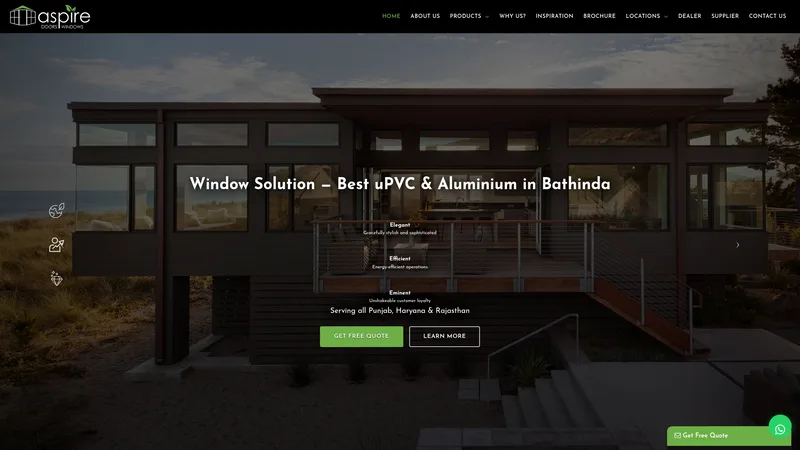
Aspirewindows — Windows / Doors
Published product-business project example, linked to its portfolio details.
View this portfolio example
A Pune website can serve a software buyer, a learner comparing a programme or a manufacturer seeking a trade enquiry. Explain the specific offer, then guide each audience to a suitable contact or information path.
Review real portfolio pages for visual and project context. These examples are selected by project type and are not claims that each client is based in Pune.
Published product-business project example, linked to its portfolio details.
View this portfolio example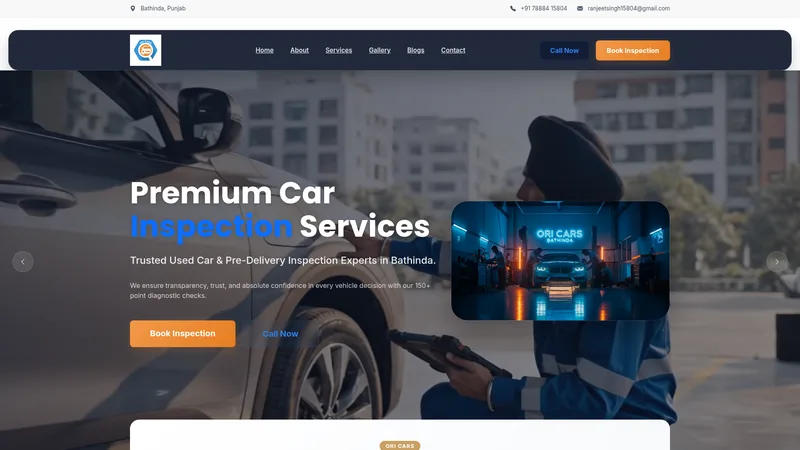
Published service-business website example with its own portfolio page.
View this portfolio exampleTechnology pages should describe real capabilities and integrations. Education providers need current programme and admission details; manufacturers need product data, specifications and a quote process that sales staff can answer.
BuntyTech works remotely with businesses in Pune. Before development begins, we confirm the project scope, communication plan, approval steps and any travel requirements.
For a Pune project, a landing page starts from ₹1,500. Other quotes depend on page count, admin features, payments, bookings and integrations; review the full package prices and inclusions before choosing.
View website pricesFor technology businesses in Pune, explain the real product or service, intended user, current capabilities and a useful next step such as a demo or project enquiry. Keep feature, integration, security and customer claims evidence-based.
For education providers in Pune, show current programmes, eligibility, schedules and admission or booking steps. Assign an owner for dates and fees, and avoid guarantees about exam results, placements or admissions.
For manufacturers in Pune, present the verified product range, materials or capabilities, relevant specifications and the information needed for a quote. Publish certification, capacity, delivery or export claims only when the business can substantiate them.
A first release can combine a concise company overview with separate product, course or capability pages. Decide which content is the source of truth and assign an owner for software features, schedules and product specifications.
A Pune organisation should map separate visitor journeys for technology, education and manufacturing. Give technology buyers product use cases and integration details; give students and families accurate programme, eligibility and schedule information; give manufacturing buyers verified specifications and a quote route. Keep topics separate and name the responsible contact. Publish a dedicated page for each sector when the organisation can provide useful, accurate detail. BuntyTech works remotely with businesses serving Pune.
Course schedules, product specifications, feature availability and manufacturing capabilities can change. Assign a named role in the business to review each category and explain how corrections are approved. Education content should avoid guarantees about admission or outcomes. Product pages should use a reliable source for dimensions, materials and variants. Technology content should distinguish current integrations from planned work. If an enquiry form asks for an attachment or business detail, explain why it is needed and how the submission is handled. A simple update process can prevent outdated information from undermining an otherwise well-built site.
Consider who will make routine edits, how often information changes and what the website must connect to. A content-managed site can help a team publish updates, but only if staff have clear roles and basic training. A custom workflow may be justified when the standard platform cannot support a real business process; it also needs an identified maintainer, backups and testing. Before launch, verify enquiries reach the right person, page links work, layouts adapt to mobile and the privacy notice matches actual data handling. Review traffic and enquiry questions after launch. Expand content in response to real needs rather than adding broad city or industry pages with repeated copy.
Use these checks to decide what to build, what to prepare and how to test the parts customers will rely on.
These audiences arrive with different questions. A technology buyer may need use cases and integrations; a student needs programme and schedule details; a manufacturing buyer wants specifications and a quotation route. Give each group a focused page or section with an appropriate call to action. Keep claims and terminology relevant to that audience rather than using one broad paragraph to target every industry. This makes the site easier to navigate and easier for staff to keep accurate.
Before writing a catalogue, gather verified names, variants, dimensions, materials, use cases and current documents. Decide what information a salesperson needs to prepare a quote. If specifications change, identify the source of truth and who approves edits. Do not claim capacity, certifications or delivery coverage without evidence. A clear catalogue and RFQ flow can make a conversation more specific without forcing a buyer into online checkout when the order needs negotiation.
A course page should show the programme, intended learner, eligibility, schedule, fee information and application steps. Keep admissions information current and make the enquiry route clear. Avoid promising results, placement or admission. If several courses exist, use a comparison structure that helps families understand the differences. Test that course questions reach a staff member who can answer them, and plan who will review the page before every new schedule or intake.
A software company should explain the actual user, task, current feature set and next step. Show a verified workflow and state whether integrations are available or planned. Avoid listing technologies as a substitute for explaining what the product does. If the page invites a demo, specify what the visitor can expect and who responds. Keep product copy consistent with the live system and update it when functionality changes.
A CMS or admin panel can help staff update programmes, product data or product features, but it also adds access, backup and review requirements. Decide who edits content, who approves it and which fields should remain controlled. For infrequent changes, a simpler managed process may be enough. The project scope should state the platform, content migration, training, hosting and maintenance separately so the launch price is not mistaken for lifetime support.
These details help BuntyTech review your requirements and agree scope, price and milestones in writing.
Compare the Mumbai plan with the requirements outlined for Pune; choose pages and functions for the audience each site must serve.
Use the location directory to compare remote service areas before choosing the right enquiry route for a Pune project.
For a Pune website focused on technology businesses and education providers, tell us the visitor action and features you need. We can review the scope before quoting.
Contact BuntyTechFor a project serving Pune, tell us the intended audience, the main action visitors should take and any essential functions.